
Rooms for the conversations your members have
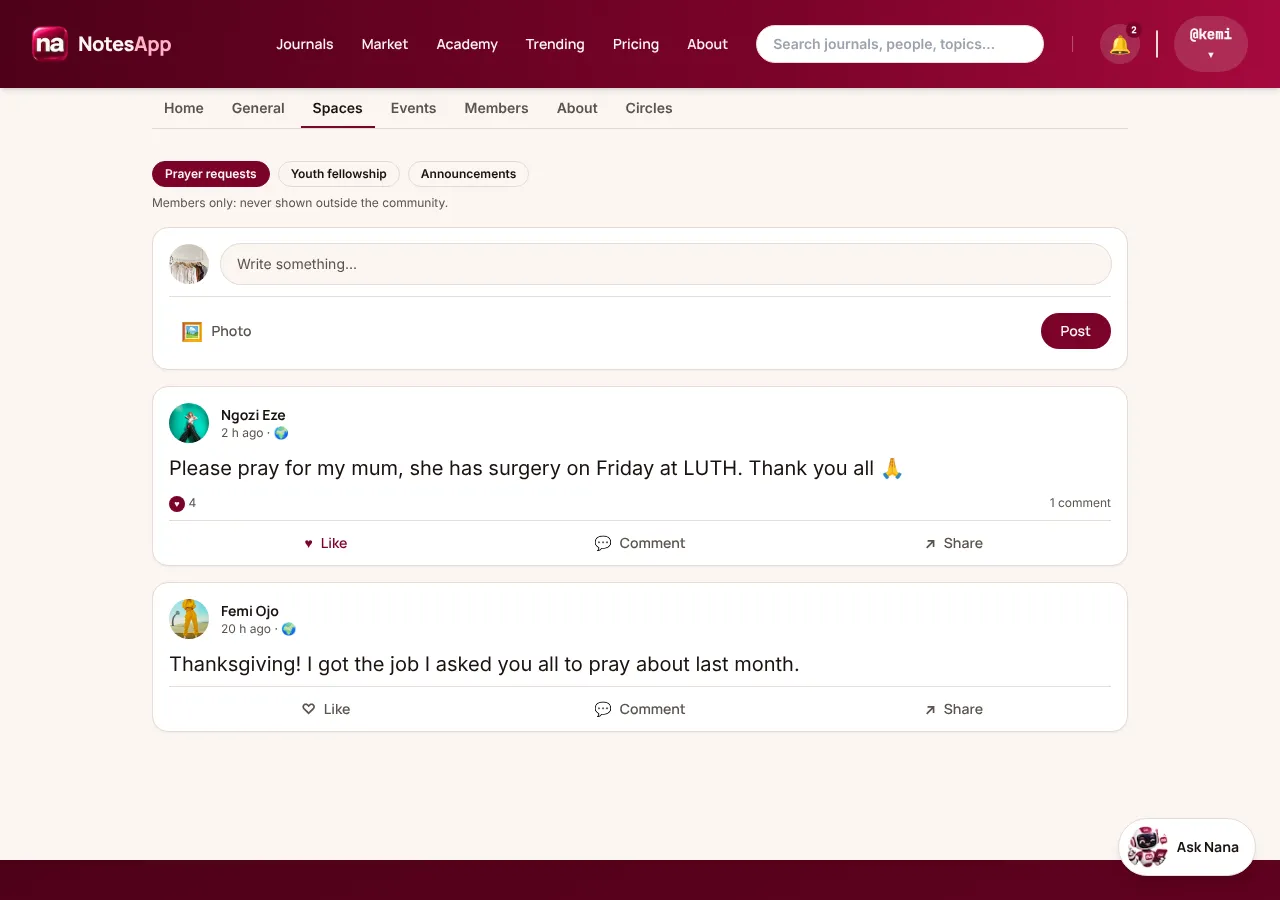
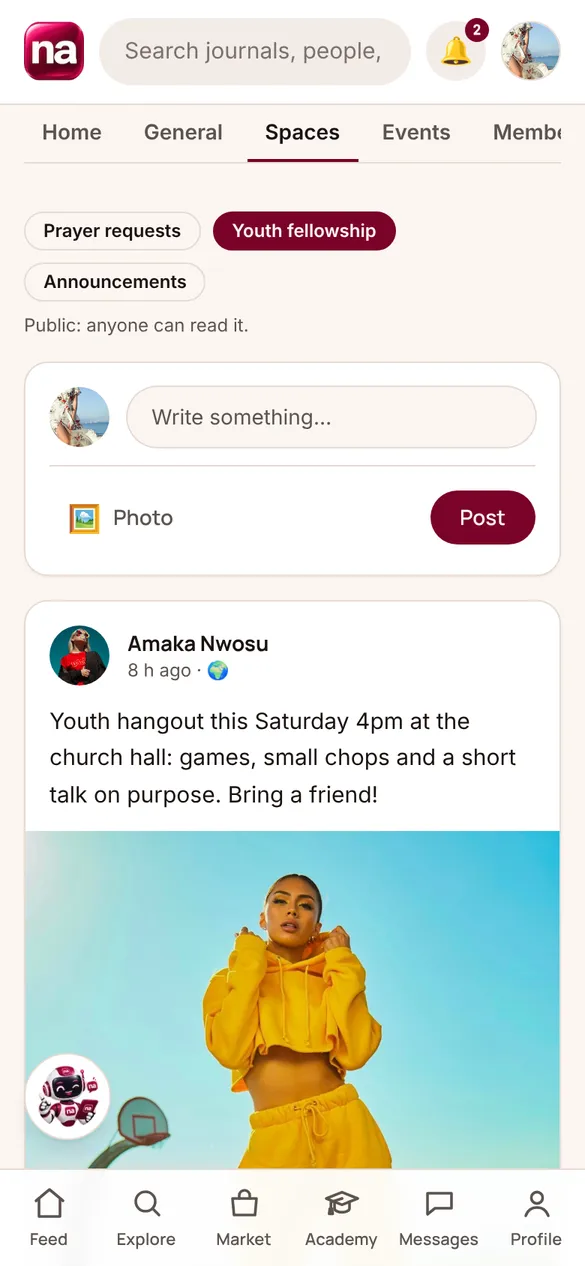
Spaces are the topics inside your community where members post too: Prayer requests, Youth fellowship, Announcements, Alumni 2015, Volunteers. Each Space is either public or for members only, and you choose who can post in it.
At a glance
- Spaces per community
- Up to 20
- Who's in a Space
- Every member: there's no separate headcount
- How many members
- Up to 200 free; no limit on Business
- Who posts
- Members, or admins only (you choose per Space)
- Who reads
- Public: anyone. Members only: members
Public or members only
- Public Space: anyone can read it, even without joining, and its posts can appear on your profile and in Explore. Good for youth events, outreach news and anything you'd put on a notice board.
- Members-only Space: only your members see it. Its posts never appear in Explore, search, link previews, the Weekly Digest or Nana's answers. Good for prayer requests, welfare and anything personal.
- The Space shows which it is under its name, so members know who can read what they write.
Who posts
- Members post: everyone in the community can write in it, like and comment.
- Admins only: admins post, members like and comment. Use it for a second announcement stream, like Choir notices.
- Slow mode, pinning and removing work the same as in General.
Setting them up
- In Admin → Spaces, add a Space with its name, public or members only, and who posts. You can have up to 20; rename or remove them any time.
- There's no joining a Space: every member of the community can open every Space they're allowed to read. If you need a small private group, that's a Circle.
The rest of Community
- General →
General is your community's announcement channel. Every member is in it from the day they join. Your admins post; members like, comment and share. It's where Sunday's service times, the outreach report and the harvest notice go.
- Circles →
A Circle is a private group chat inside your community for the few people who work together: the choir, the ushers, the youth leaders, the board. Your admins set it up and choose who's in it. Nobody else sees what's said.
- Audio rooms →
Go live with your members: a Bible study, a Q&A with the principal, a town hall. The host brings up to 4 people on stage to speak; everyone else listens, raises a hand to ask a question, and types in the room's chat.
- Events →
Put your community's programme on its Events tab: Sunday service, the workers' meeting, the harvest, an outreach. Members tap Going or Interested, get reminded before it starts, and can add it to their calendar or join it live.