
Live talks, like Clubhouse, with a chat beside them
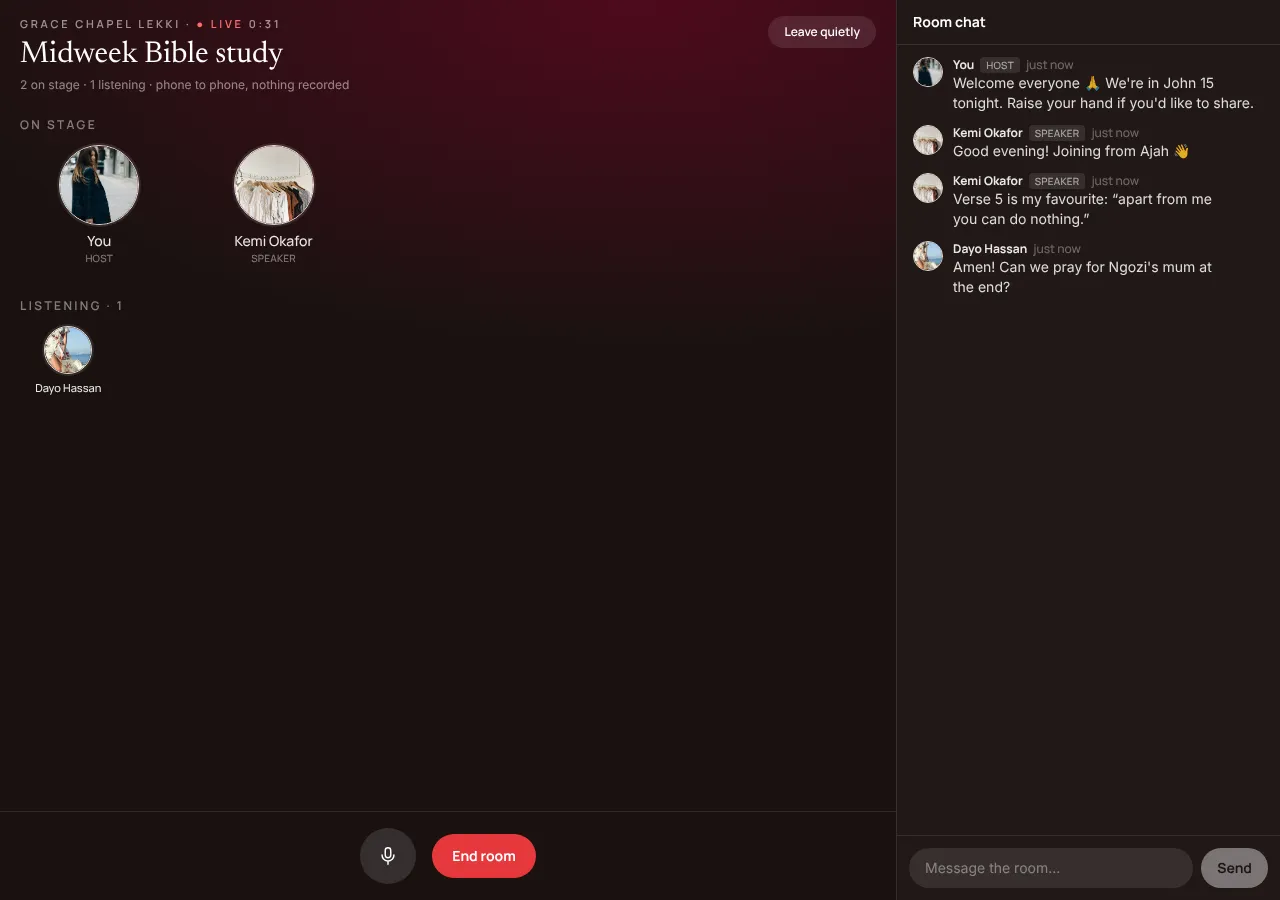
Go live with your members: a Bible study, a Q&A with the principal, a town hall. The host brings up to 4 people on stage to speak; everyone else listens, raises a hand to ask a question, and types in the room's chat.
At a glance
- Who hosts
- The owner, admins and moderators
- On stage
- The host and up to 4 speakers at a time
- Listening
- Up to 20 for now; hundreds with our relay, later
- Room chat
- Everyone in the room, up to 500 characters a message
- Who can join
- Members of the community
- Recording
- None: nothing is recorded or kept
Hosting a room
- On the community's Home, tap + Start a room, give it a name (Sunday Q&A, Midweek Bible study) and Go live. Members see it at the top of Home with Join.
- When a listener taps ✋ Raise hand to speak, the host sees it and taps Bring up. The host can also tap anyone and Invite to speak, or Move to listeners. Up to 4 speakers at a time besides the host.
- A green ring shows who's talking. The host's mic button mutes and unmutes. End room ends it for everyone; the host leaving ends it too.
Listening and speaking
- Tap Join and you're listening: no camera, no mic until you're brought up.
- On stage, your mic is on; tap Back to listening to step down. Leave quietly to go whenever you like.
The room chat
- While a room is on, everyone in it can type: questions for the speakers, prayer points, amens, links.
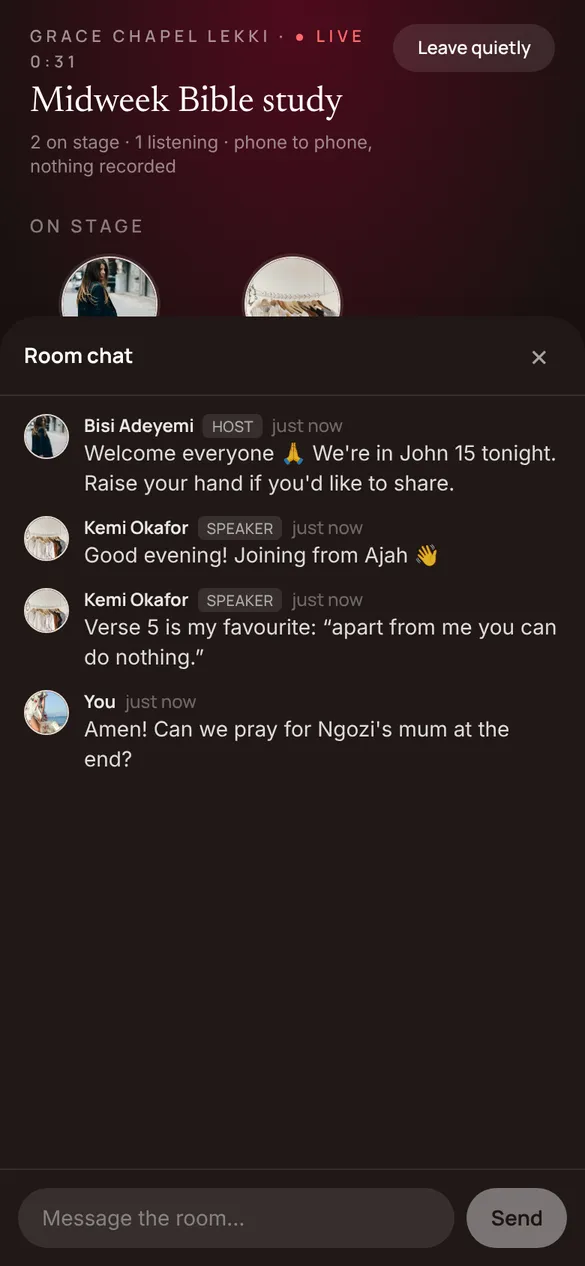
- On a computer the chat sits beside the room. On a phone, tap 💬 Chat; a red number shows what you missed while it was closed.
- The host and speakers are marked in the chat. The host or a moderator can remove a message. The chat goes when the room ends.
How the sound travels
- For now, rooms run phone to phone: the people on stage connect straight to each other, and each listener connects to the host, whose phone sends everyone the mix. Nothing passes through #NotesApp's servers.
- That keeps it private but puts the host's phone in the middle, so a room holds 20 listeners. A host on Wi-Fi or a strong 4G connection works best. Bigger rooms come with our relay.
The rest of Community
- General →
General is your community's announcement channel. Every member is in it from the day they join. Your admins post; members like, comment and share. It's where Sunday's service times, the outreach report and the harvest notice go.
- Spaces →
Spaces are the topics inside your community where members post too: Prayer requests, Youth fellowship, Announcements, Alumni 2015, Volunteers. Each Space is either public or for members only, and you choose who can post in it.
- Circles →
A Circle is a private group chat inside your community for the few people who work together: the choir, the ushers, the youth leaders, the board. Your admins set it up and choose who's in it. Nobody else sees what's said.
- Events →
Put your community's programme on its Events tab: Sunday service, the workers' meeting, the harvest, an outreach. Members tap Going or Interested, get reminded before it starts, and can add it to their calendar or join it live.